
The customer paid but did not receive access
Payment, access delivery, and email are separate stages. Checking them in order helps locate where the process stopped.
A buyer may already have the correct badge but be unable to find the email. Another may have an account without the action that grants course access. Start with the purchase email and where the sale happened.
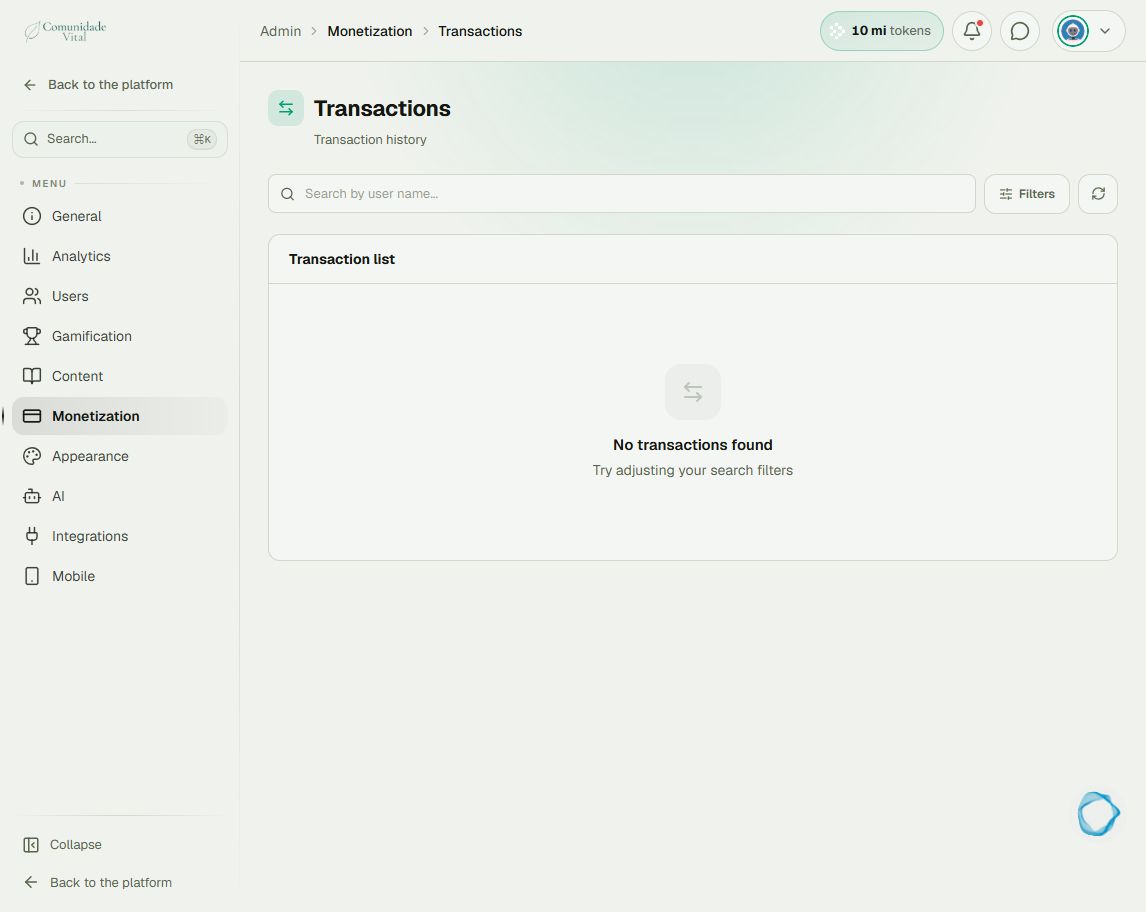
Click your profile picture in the top-right corner and open Admin panel. Use Search... in the sidebar to find the last item in this path: Monetization › Transactions.
1Identify the source and confirmation
For native checkout, find the purchase in Transactions, using search and Filters. Check payment status in its details. For an external sale, check confirmation in the sales tool and inspect Integrations › Webhooks › Logs. Cativa’s Transactions list does not replace the external seller’s history.
2Check the delivery action
For native checkout, inspect access status and any error messages in the transaction details. Then check the payment link’s action type. For external sales, inspect the listener action and recorded result. Creating an account is not the same as granting a badge or enrollment.
3Check the person and content
Open Users › Users and search by purchase email. Check whether the account exists, its status, and the granted badge or course. Compare this with the content’s access rule. Avoid creating a second account or repeating delivery before identifying the mismatch.
4Separate access from email delivery
If access is granted, direct the buyer to the platform URL and the sign-in help article. Ask them to check spam and the email used. If the issue persists, collect the purchase ID, time, email, and error message for support.
Tip
Read the payment-link, webhook, and automation articles to correct delivery at its source. A one-off manual assignment does not fix the integration for future purchases.
Frequently asked questions
Does a missing email mean no access?
Not necessarily. Check the account and delivery before concluding.
Should I approve any payment to solve this?
No. First confirm the actual payment situation. Changing status can grant unintended access and distort records.