
Sent and received webhooks - which to use
Webhooks are automatic messages between systems. The key difference is direction: the platform receives an external event or tells another system what happened here.
An external sales tool can grant a Cativa badge after a purchase. A course completion can notify a CRM. The first uses Received; the second uses Sent.
Click your profile picture in the top-right corner and open Admin panel. Use Search... in the sidebar to find the last item in this path: Integrations › Webhooks.
1Choose the direction
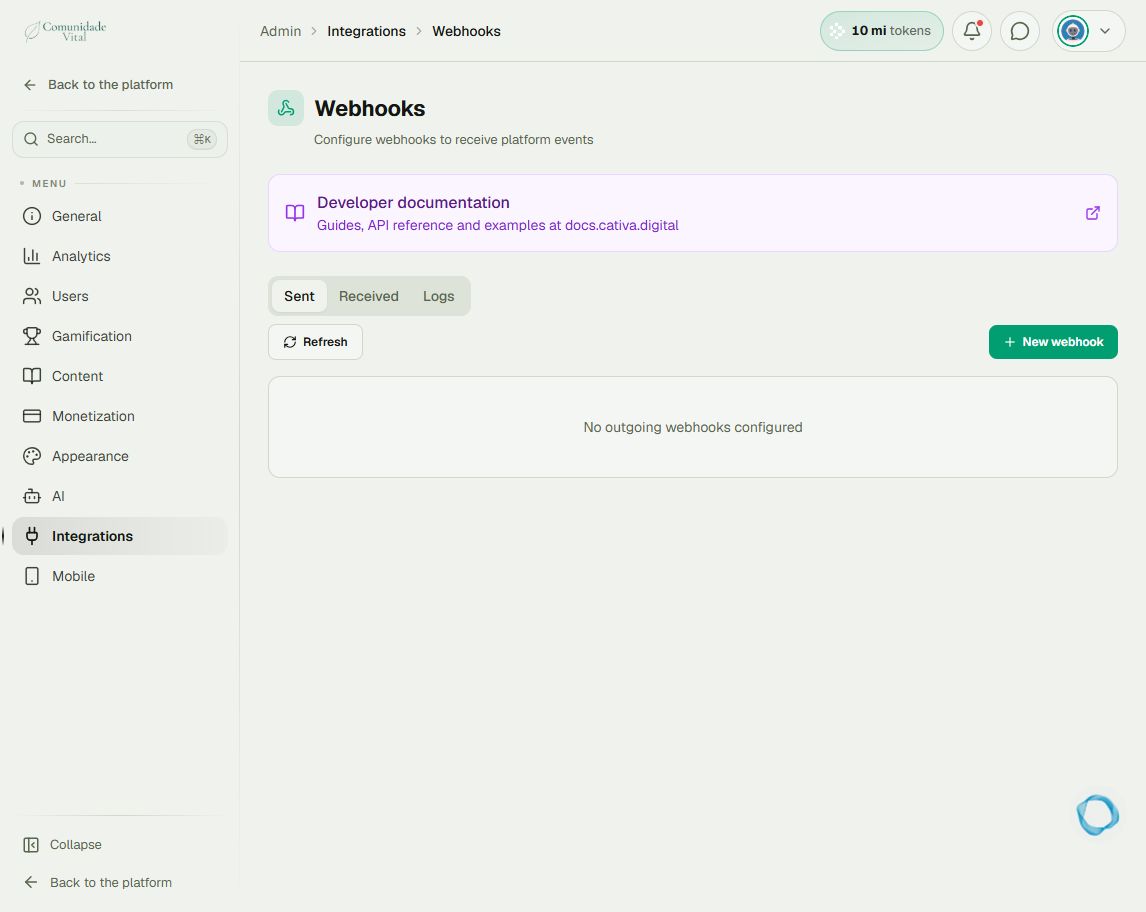
On Webhooks, open Received when an external system will call Cativa. Open Sent when Cativa will call an external URL. The Logs tab contains execution records for troubleshooting.
2Define the integration requirements
For Received webhooks, the listener defines the action and expected data, such as user identity and badge. For Sent webhooks, define the event, conditions, and destination URL. Use Developer documentation on the page to check fields before connecting systems.
3Check the event and its result
After configuring the integration in a controlled environment, send an appropriate event and inspect Logs. Also check the user record: receiving a call alone does not prove badge assignment.
Tip
For rules connecting the platform’s own events and actions, read Automations. Make, n8n, or another intermediary can extend an integration but are not required for native automations.
Frequently asked questions
Does an external refund automatically remove the badge?
Do not assume so. Configure the refund event and its corresponding removal action.
Where do I check a native checkout payment?
Under Monetization › Transactions. The transaction details are where you check that access delivery.