
What access badges are and when to use them
Think of badges as access passes: each one identifies an audience that can receive access to particular content on your platform.
One class might receive the Aluno badge, while another group receives a badge for a specific program. What each person can access depends on the rules configured for the content.
When to use a badge
- Separate access for different classes or programs.
- Provide time-limited access with an expiration date for each person.
- Connect access to a purchase or an automation, depending on the configured integration.
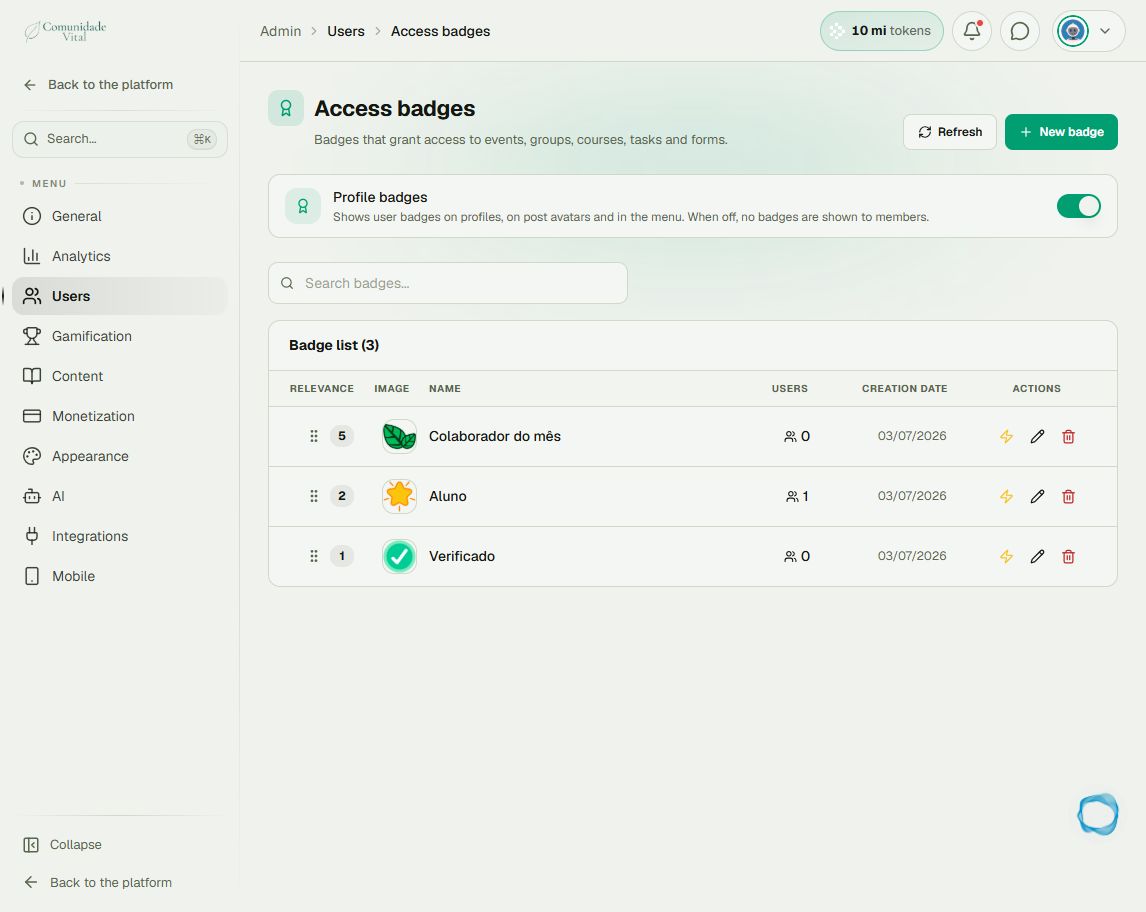
Where to find badges
- On the platform, click your profile picture in the top-right corner.
- Open Admin panel.
- Click Search... in the sidebar, enter Access badges, and open the result under Users.
- Click a badge name in the list to view its page.
Plan your access rules
- Define the audience and the content it needs.
- Choose the badge that will represent that audience.
- Configure the content access rules.
- Assign the badge to people, with an expiration date when needed.
- Check access using a profile that matches the intended audience.
Tip: start with your program's rules
A time-limited program can use the same badge for all participants, with individual expiration dates. For recurring access, read the automation, integration, and bulk-assignment articles.
Frequently asked questions
Can one person have more than one badge?
Yes. A person can belong to different audiences. Check the badges and expiration dates assigned to that person.
Are badges the same as achievements or coins?
No. These badges control access. Achievements and coins belong to gamification; they are not equivalent permissions.
Does permanent access mean access to everything?
No. It means that assignment has no expiration date. Content access rules still apply.
How do I assign a badge?
Read the article on assigning a badge with an expiration date. It also explains how to leave access without an expiration date.