
How to release lessons sequentially or on a schedule
You can release lessons based on student progress or on fixed dates. These are separate settings with different effects.
Use sequential content when each person should finish one lesson before the next. Use scheduling when an entire class should receive the same lesson on an agreed date.
Start on the platform, outside the admin panel. If you are in the panel, click Back to the platform. Follow this path: Cursos (courses) › your course › Manage.
1Choose progress-based release
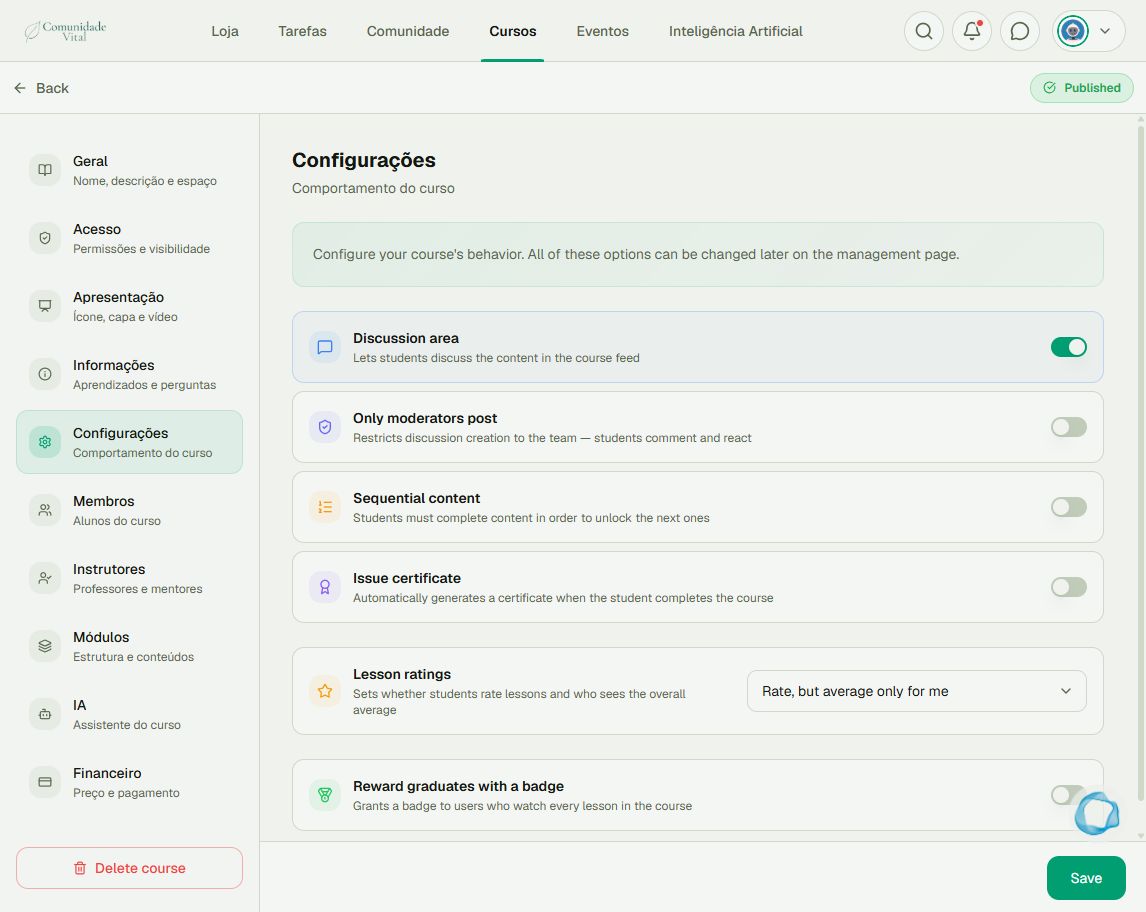
Open Configurações (course settings), enable Sequential content, and click Save. Students can open the first lesson, completed lessons, and the next lesson in the sequence. This applies to this course, not globally across the platform.
2Or set dates for a lesson
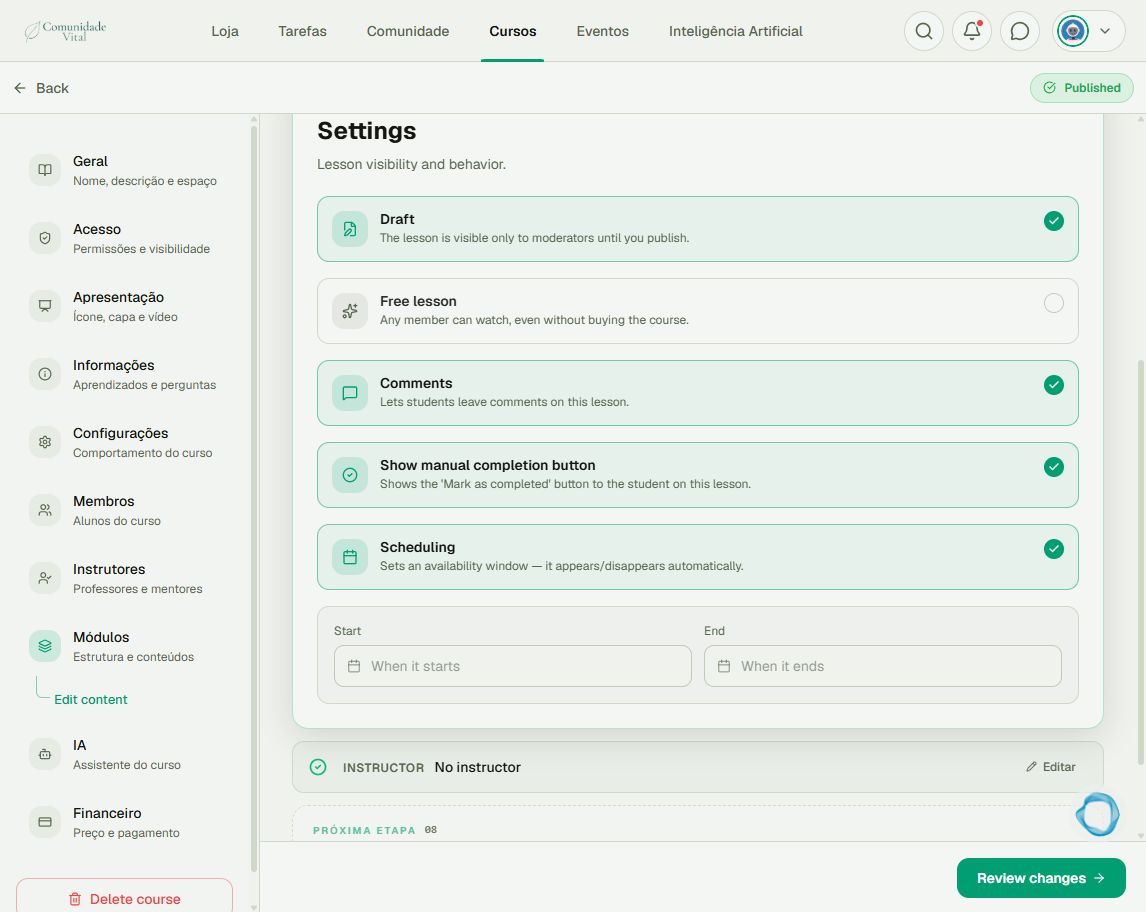
Open Módulos (modules), find the lesson, and use its edit control. In the lesson’s Settings step, enable Scheduling. Use When it starts and When it ends to define the availability window.
3Review and check as a student
Review and save the changes. Check that both the course and lesson are published. Verify the order and dates with an authorized student account. A draft lesson does not appear just because its date has arrived.
Tip
For stages with different access rules, use separate courses and read the badge and automation articles. Badge restrictions apply to the course, not an individual module.
Frequently asked questions
Can a lesson unlock 30 days after each student’s purchase?
Scheduling uses the same date for everyone. It does not calculate an individual delay from a purchase.
Does enabling sequential content erase progress?
No. Existing completions are preserved. The change limits access to lessons not yet unlocked by the sequence.
What about free lessons?
Free lessons are an exception to sequential access. That option also prevents scheduling the same lesson; check this when planning your release.