
How to create a course with modules and lessons
A course organizes learning into modules and lessons. Modules group topics; lessons contain the material students study.
For example, an onboarding program can have Getting started and Essential features modules, each with short lessons. Plan this structure before you begin.
Start on the platform, outside the admin panel. If you are in the panel, click Back to the platform. Follow this path: Aura › Create › Course.
1Enter the course details
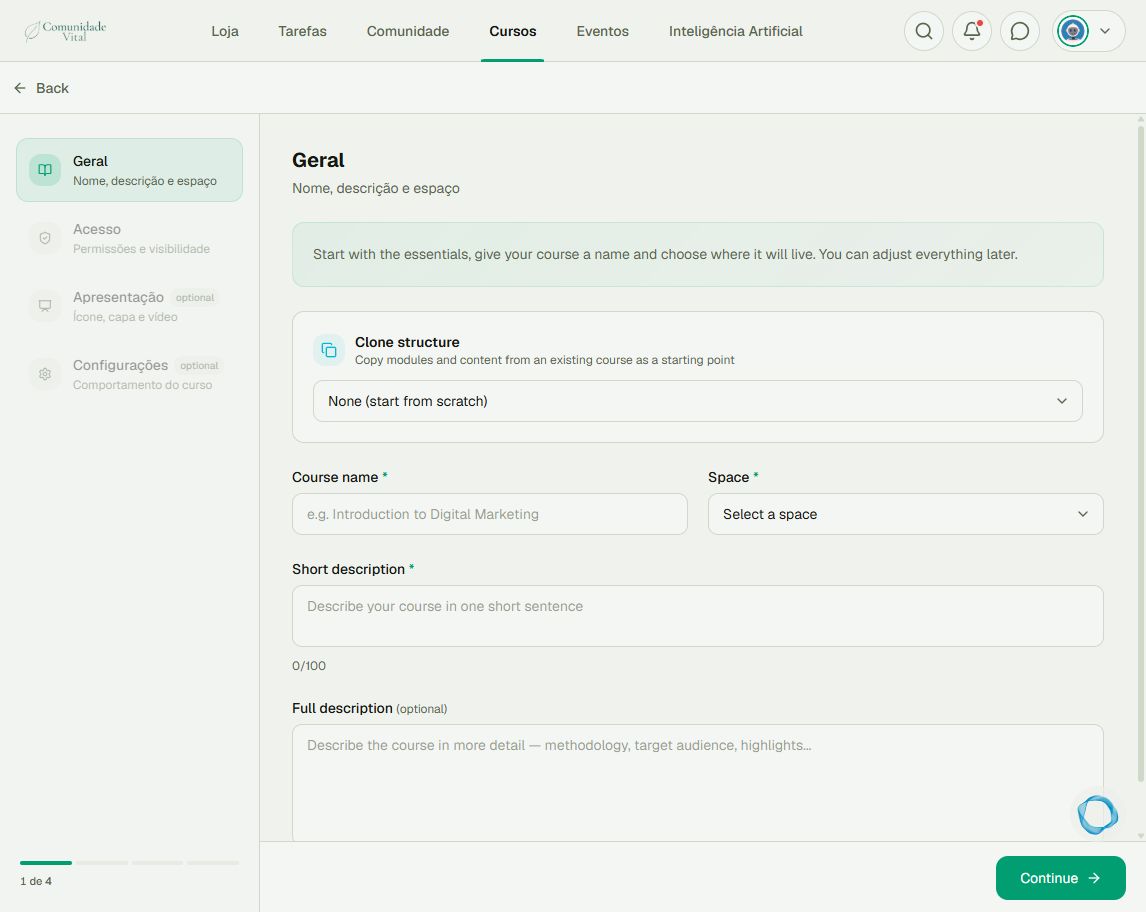
Using an administrator account, open the Aura bubble, click Create, and choose Course. In Geral (general details), enter the Course name, select a Space, and write the Short description. To start without copying another course, keep Clone structure set to None (start from scratch).
2Set access and presentation
Click Continue and go through Acesso (access), Apresentação (presentation), and Configurações (settings). Set who can access the course, add images, and review its behavior. Finish creation. The course starts as a draft; creation alone does not make it available to students.
3Organize modules
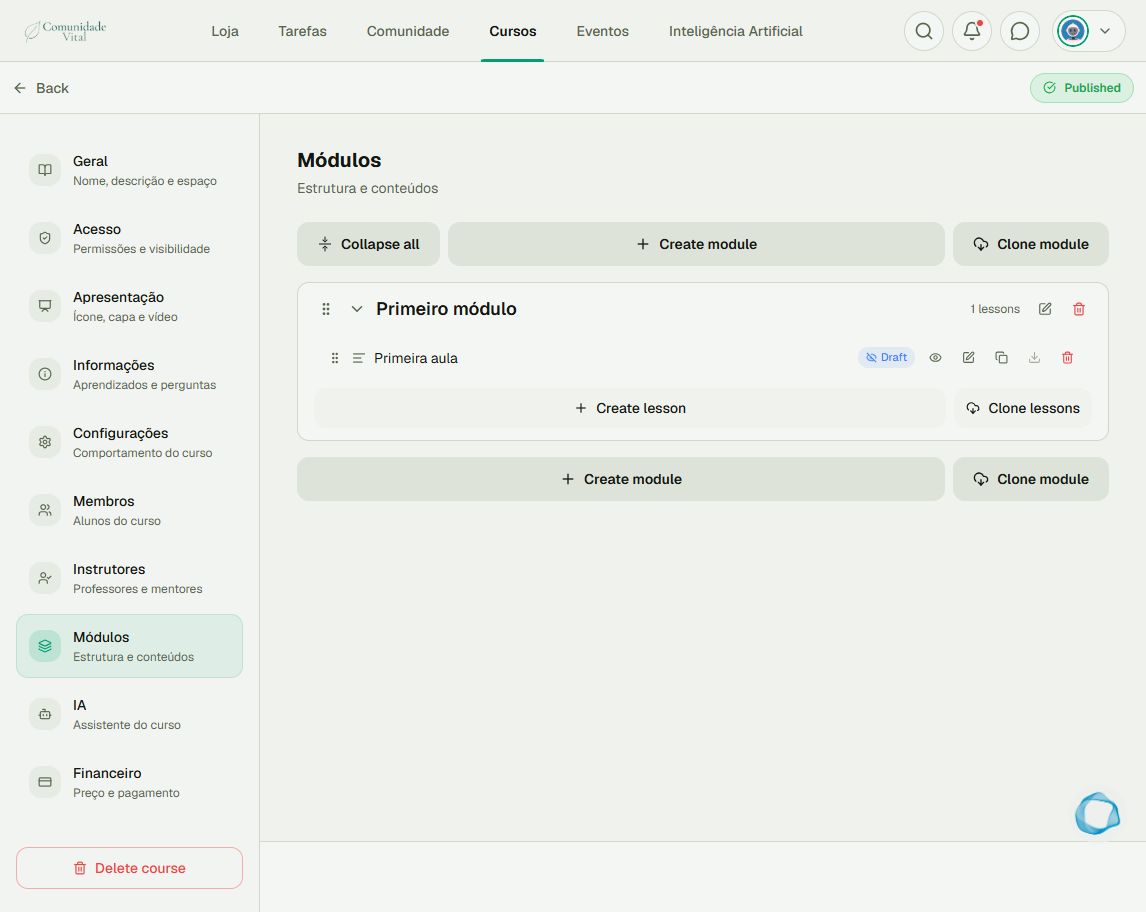
To continue later, open Cursos (courses), open your course, and click Manage. Select Módulos (modules). Use Create module to add a section and the edit-module control to change its name. Check the initial structure before adding items to avoid duplicating the first module.
4Add and publish lessons
Inside the module, click Create lesson. Enter a title, select the content type, and provide the matching text or file. Check the approximate duration, complete the remaining steps, and review before saving. In the list, use the lesson’s Publish control when it is ready. Also publish the course using the status control at the top. Check the result with a student account that has access.
Tip
To release content gradually, read the article on sequential lessons and scheduling. For video, read the upload guide before publishing.
Frequently asked questions
Does saving a lesson publish the course?
No. Check the course status and each lesson’s status separately.
Can I reuse an existing structure?
Yes. Creation offers Clone structure, and module management offers Clone module and Clone lessons. Review the copy before making it available.