
How to enable and customize course certificates
A certificate recognizes course completion. Automatic issuance is native: enable it in the course and use the default template or create your own design.
For example, an internal training course can provide a company-branded certificate when a participant completes all published lessons.
Click your profile picture in the top-right corner and open Admin panel. Use Search... in the sidebar to find the last item in this path: Content › Certificates.
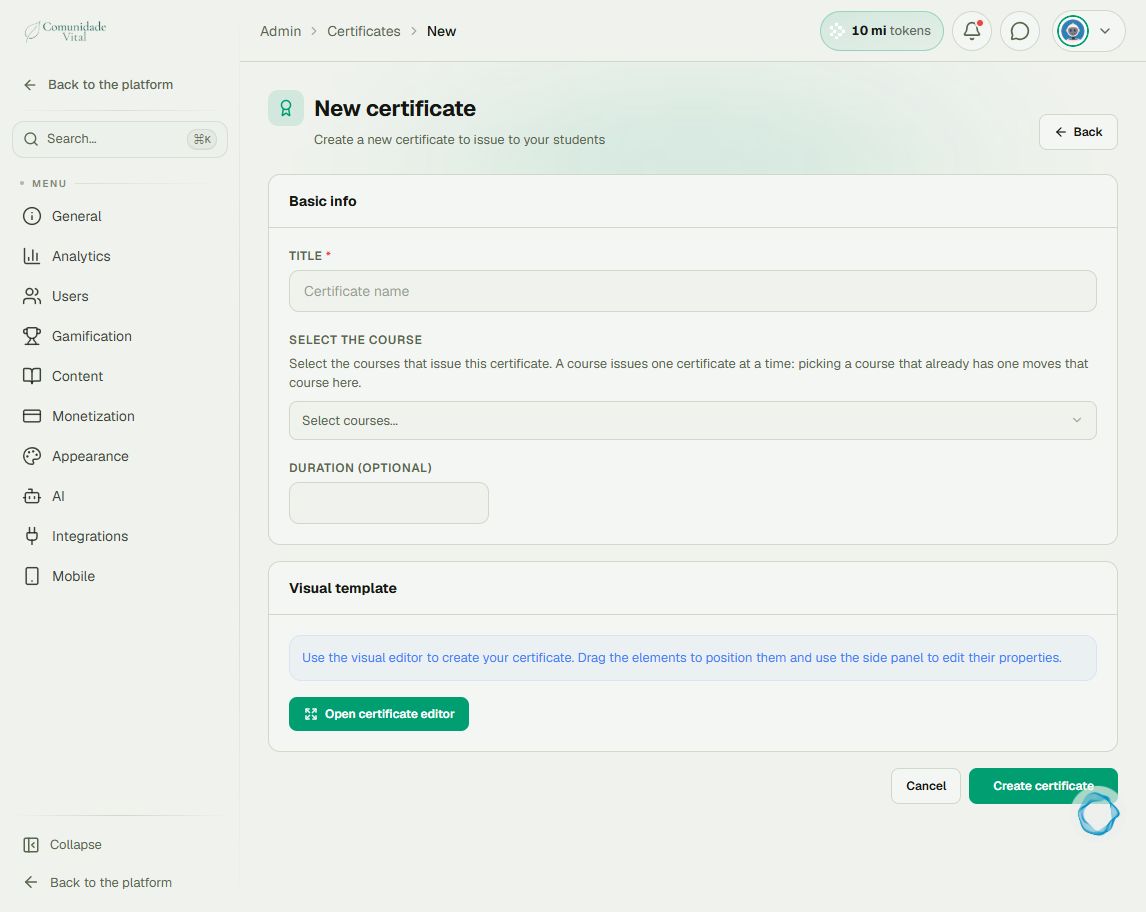
1Create a template if you want a custom design
Click New certificate. Enter the Title, select the course, and click Open certificate editor. In the visual editor, build the design with text and images and use Insert variable for student and course details. Apply the template and click Create certificate. Each course is linked to one template at a time; read any transfer warning before confirming.
2Enable issuance in the course
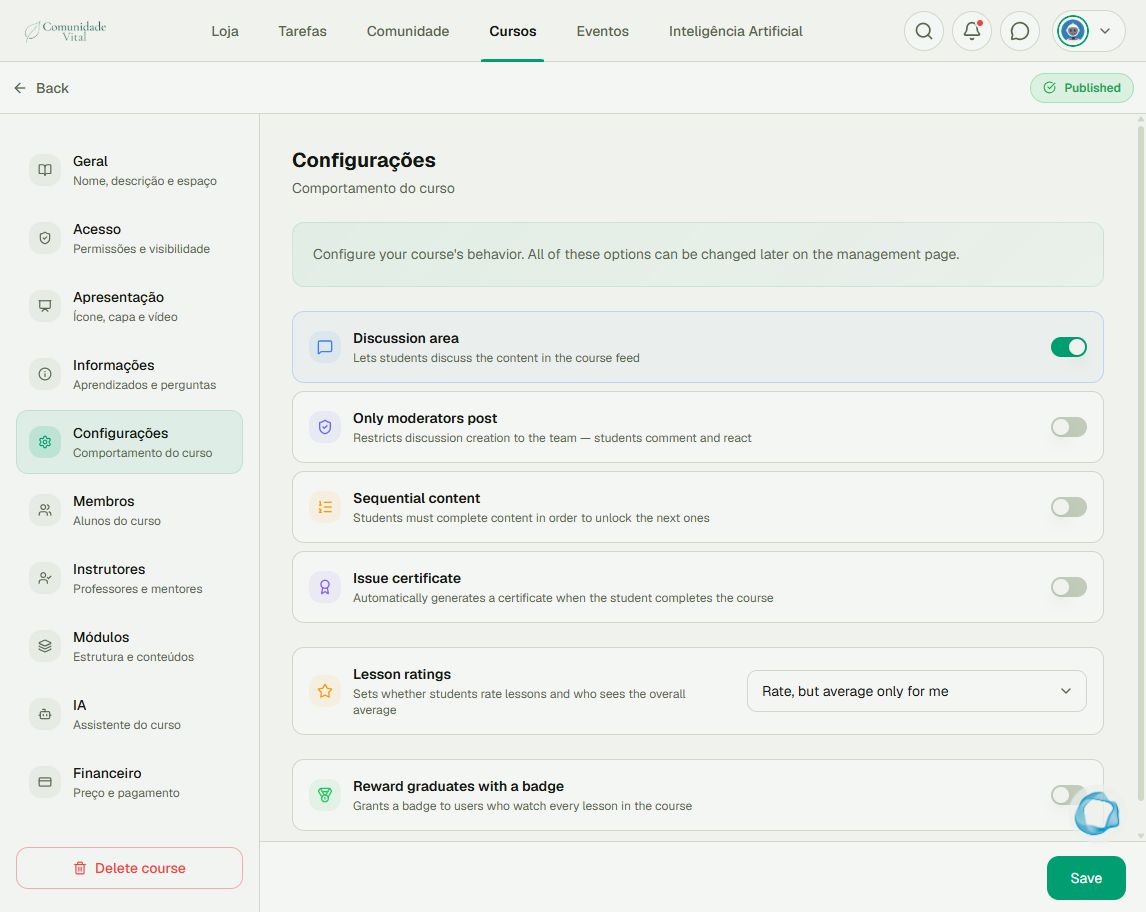
Return to the platform, open Cursos (courses), open the course, and select Manage › Configurações (settings). Enable Issue certificate, check the template, and click Save. Without a custom template, the default template can be used.
3Check the requirement and result
Students must complete all published lessons, including those scheduled for the future. Drafts do not count. After completion, students find the Certificate card and PDF download option on the course page. Check the name, design, and duration in the document.
Tip
Automatic issuance does not need automation or an integration. For students who finished before activation, use Issue certificate in the certificate list: enabling the feature does not issue certificates retroactively. Also read the student-progress article.
Frequently asked questions
Does template duration override lesson duration?
No. The certificate uses the sum of lesson durations when greater than zero. Template duration is a fallback when that sum is zero.
Does changing the design update old PDFs?
Not automatically. Forced reissuance generates another PDF and a new validation code; the old code stops validating. Consider this before reissuing.