
How to create an AI agent and add knowledge
An agent uses instructions and a knowledge base to answer questions. Identity defines how it appears; knowledge supplies the information it should consult.
For example, a welcome agent can explain participation rules and help people find materials. Prepare current documents organized by topic, without contradictory answers.
Click your profile picture in the top-right corner and open Admin panel. Use Search... in the sidebar to find the last item in this path: AI › AI agents.
1Choose the agent identity
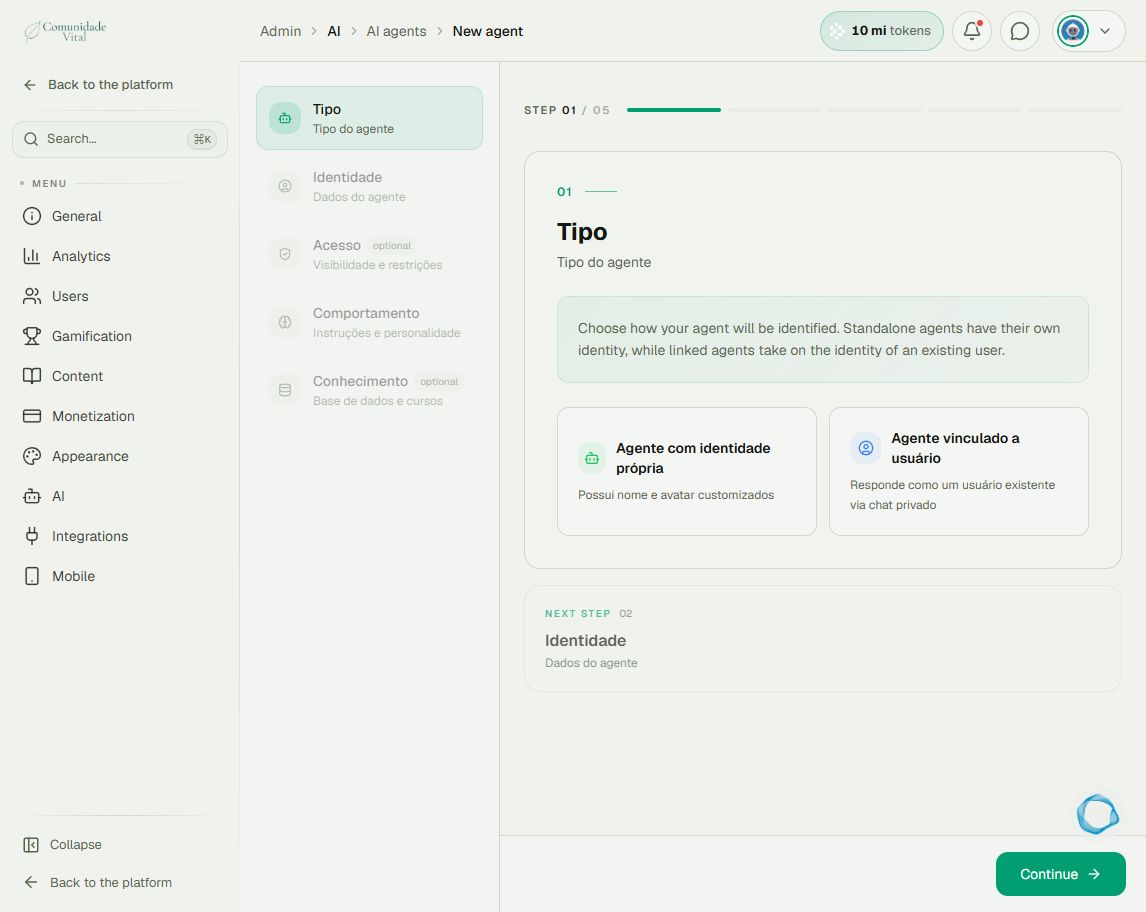
Click New agent. Under Tipo (type), choose Agente com identidade própria for a separate name and avatar, or Agente vinculado a usuário to use an existing account’s identity. Continue to Identidade (identity) and fill in the corresponding details.
2Set the audience and instructions
Under Acesso (access), configure who can use the agent. Under Comportamento (behavior), describe its purpose, tone, and response boundaries. Specify what it should do when information is missing, such as directing people to support instead of inventing a rule.
3Add knowledge sources
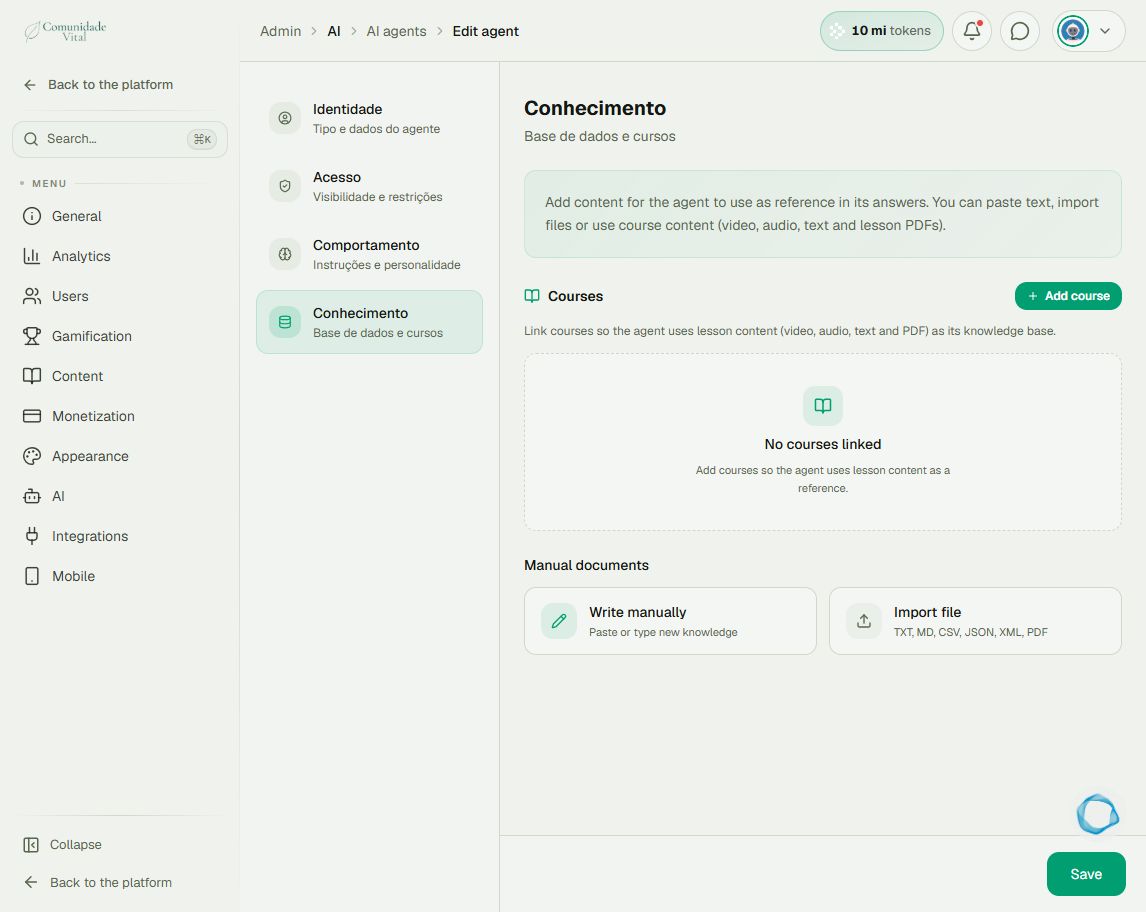
Under Conhecimento (knowledge), use Write manually to enter text or Import file for a supported format such as TXT, MD, CSV, JSON, XML, or PDF. To use course content, save the agent and reopen Conhecimento to use Add course. Choose materials relevant to the agent’s purpose.
4Train and check responses
Finish uploading the documents and use Train when available. Wait for processing and check the knowledge-base and linked-course statuses: they are independent. Before making the agent available, ask questions whose answers you know and a question not covered by the documents. Review access and activation in the agent list.
Tip
Updating instructions does not replace updating documents. To monitor processing and usage consumption, read the AI dashboard article.
Frequently asked questions
Does a ready course mean the whole agent is ready?
No. Each course status and the agent’s knowledge-base status are separate. Check both.
Does writing a restriction in the instructions protect access?
Permissions must be configured under Acesso. Instructions guide responses and do not replace the settings controlling who can use the agent.