
How to reset a student’s password
Resetting a password replaces an account's sign-in credential. It may be needed when a student cannot complete recovery through their own email.
First, guide the student to the password-recovery option on the platform's sign-in page. The procedure below is the administrator's alternative; it does not reveal the current password.
1Find the person
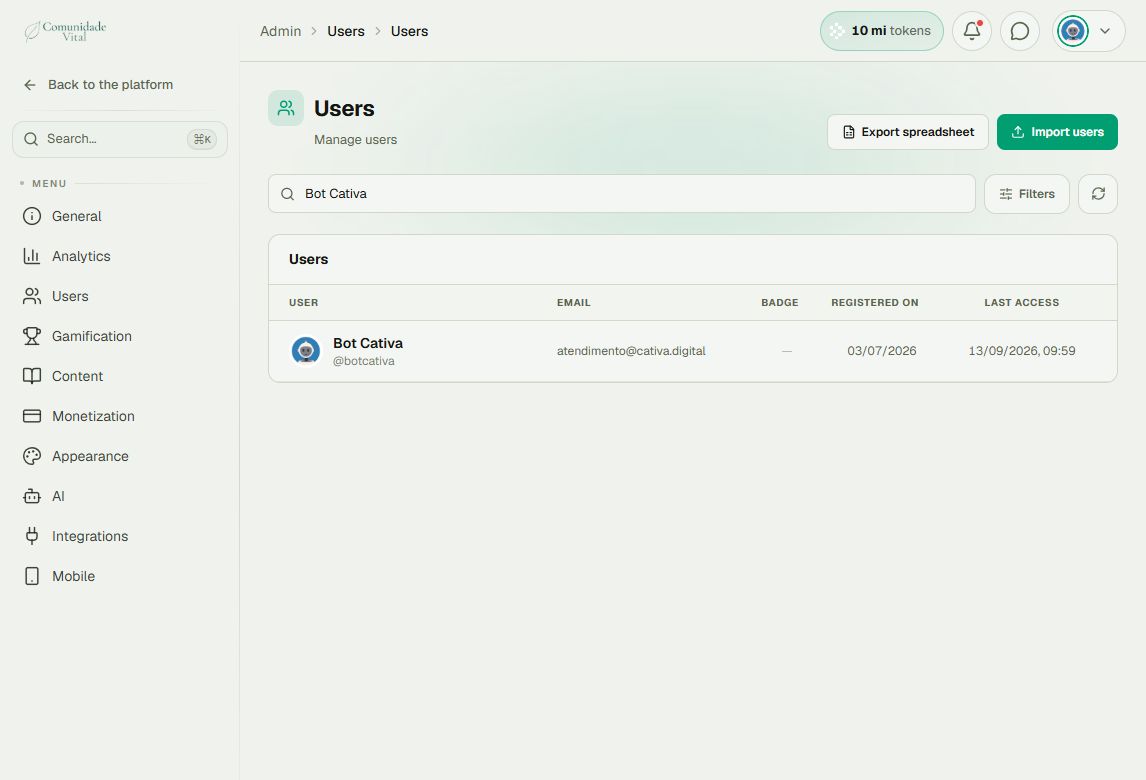
Click your profile picture in the top-right corner and choose Admin panel. In the sidebar, click Search..., search for Users, and open the result in the Users category.
Use the list search to find the person by their registered email. Make sure you are on the correct platform: accounts with the same email on different platforms are independent. Click the person’s row to open their record.
2Open the password form
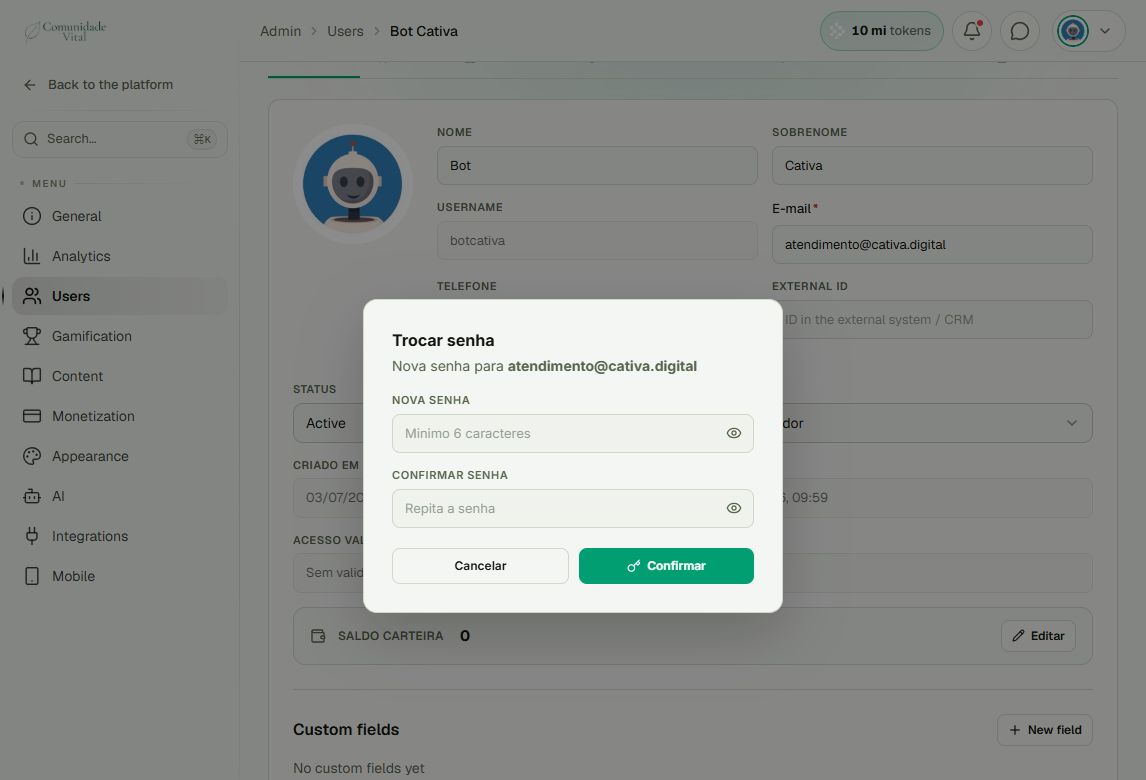
In the Dados tab, scroll to the action buttons and click Trocar senha (change password). Check the email under Nova senha para (new password for). The form retains its Portuguese labels even when English is selected.
3Set and confirm the new password
- Enter a new password of at least six characters in Nova senha.
- Repeat it in Confirmar senha.
- Review the account and click Confirmar (confirm).
- Wait for confirmation, then ask the person to sign in again with their email and new password.
The administrator must arrange delivery of the new password through an appropriate private channel. This operation does not automatically email the password.
Tip: prefer recovery completed by the student
If they can access their registered email, recovery from the sign-in page lets them choose a password without sharing it. Do not request passwords or codes in support tickets or comments.
Frequently asked questions
Can I view the current password?
No. The panel lets you set a new password, not retrieve the previous one.
Does this remove badges or progress?
No. It changes the credential and ends sessions; it does not remove badges, progress, posts, or certificates.
The account is inactive or access expired. Should I reset the password?
Check the status and access validity first. Those situations require investigating the account, as explained in the article about students who cannot sign in.