
How to moderate posts and comments
Moderation lets you review published content, handle reports, and decide what should remain visible.
For example, before acting on a reported post, open its details to check the content and author. Base the decision on your platform’s participation rules.
Click your profile picture in the top-right corner and open Admin panel. Use Search... in the sidebar to find the last item in this path: Content › Posts.
1Find the content
Use search, Filters, or the Pending and Reported tabs. The list also separates pinned, highlighted, group, and deleted posts. Check the author and date to identify the correct item.
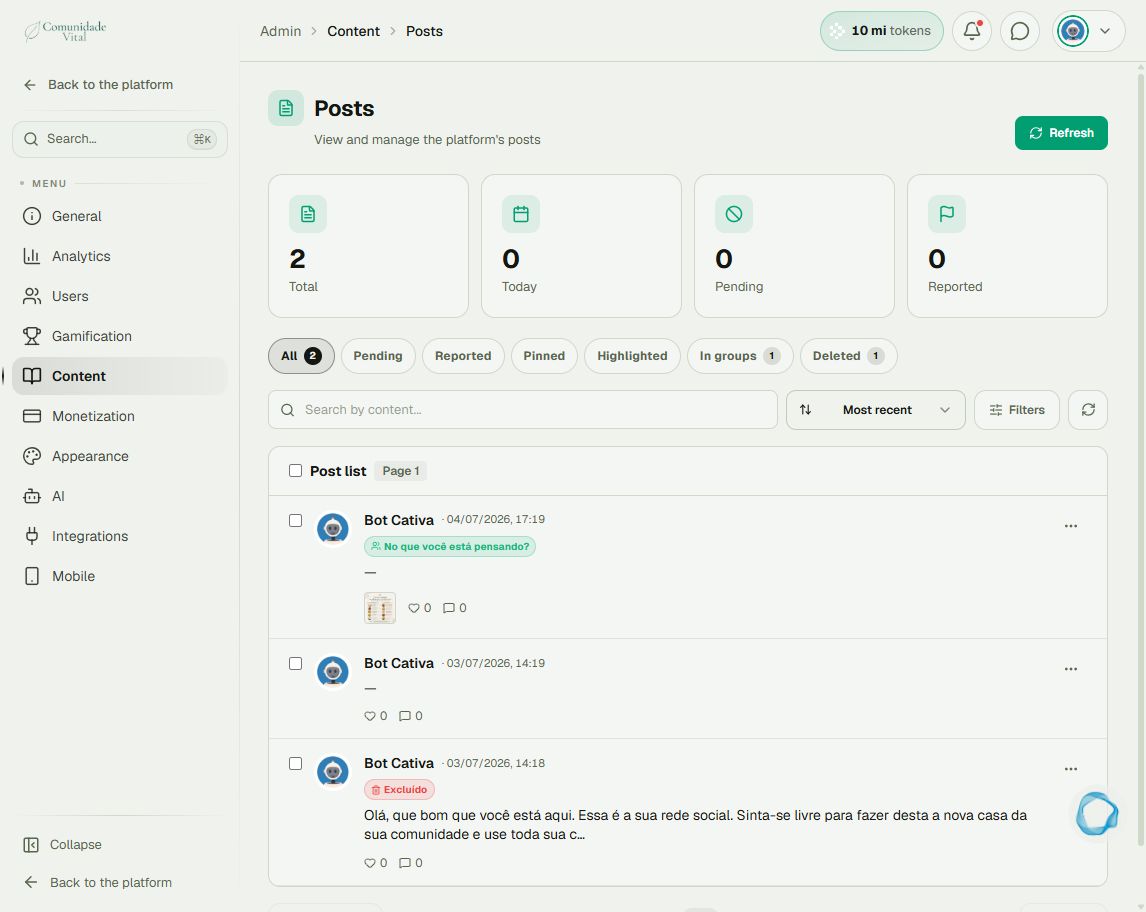
2Read the details before acting
Open the post row’s three-dot menu and choose View detail. Check its text, media, author, and comment/report counts. Use Disapprove to withdraw approval or Delete when the decision is to remove the post. Read any confirmation before completing the action.
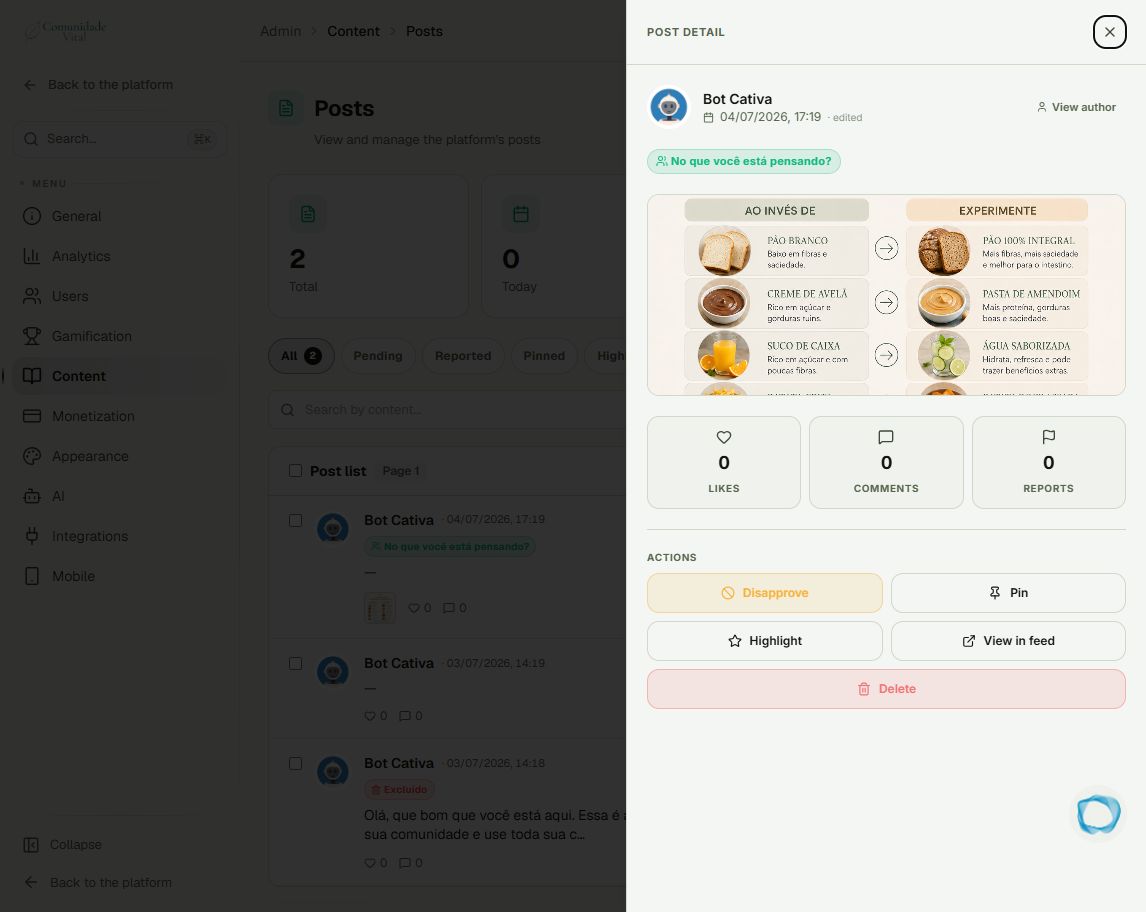
3Handle comments in their own area
In the panel menu, open Content › Comments. Choose the feed or lesson tab and use search and filters to find the comment. Check the context and use the action available on that item. Do not delete the entire post when the decision concerns only one comment.
4Check the result
Refresh the list and check the item’s status. If needed, open the feed to verify its display. Pin and Highlight organize editorial visibility; they do not replace a decision about inappropriate content.
Tip
If the action also concerns the person’s account, read Delete, ban, or deactivate. Moderating a post and blocking sign-in are separate actions.
Frequently asked questions
Is the Deleted tab a trash bin with restoration?
Do not treat the list as a guarantee of restoration. Preserve the record you need before deleting.
Does a report mean I should delete the content?
No. A report identifies something to review. Check the context and rules before deciding.